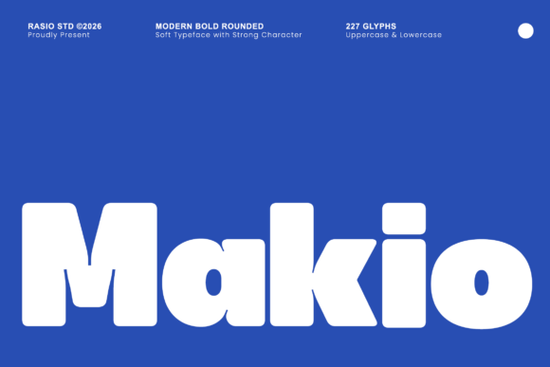
If you're looking for a bold, friendly sans-serif font that holds its own on packaging, posters, or digital interfaces without feeling cold or overly technical you’ll want to try Makio Font. It’s not just heavy; it’s thoughtfully rounded, with pillowed corners and tight letter junctions that give it warmth and cohesion. Designers and small business owners especially appreciate how its generous x-height and clean perimeter line make text instantly legible even at smaller sizes or on busy backgrounds.
What makes Makio different from other bold sans-serifs?
Many display fonts lean hard into geometry or sharpness to feel modern but Makio takes the opposite route. Instead of sharp angles or narrow proportions, it uses thick vertical strokes, softly inflated curves, and balanced spacing to create presence without aggression. Think of it as the kind of typeface that works equally well on a juice box label and a startup’s app splash screen. It’s got confidence, but it doesn’t shout.
This isn’t a font designed for long paragraphs. It shines in short, high-impact contexts: logo lockups, social media banners, t-shirt graphics, food packaging, or even vinyl decals. Its visual weight holds up beautifully in print-on-demand mockups, and because it’s optimized for clarity, it scales cleanly across devices from Instagram stories to desktop landing pages.
Where does Makio fit in your font collection?
If you already use luxury sans-serifs for premium branding or Metha for sleek tech interfaces, Makio fills a distinct gap: approachable boldness. It’s less formal than Metha, less minimalist than Might, and more grounded than some of the trendier retro-futuristic options. You’ll find yourself reaching for it when you need something that feels both contemporary and human like a streetwear brand launching a new hoodie line, or a local café redesigning their takeout bags.
It pairs well with neutral, low-contrast companions think light or regular weights of clean grotesques or geometric sans-serifs. Avoid pairing it with other heavy display fonts unless you’re intentionally going for layered contrast (e.g., Makio for headlines + a subtle serif for body copy).
Who’s using Makio and why it works for them
- Print-on-demand sellers: Its solid shape and strong silhouette translate reliably across fabric, ceramic, and paper. No thin strokes to vanish in DTG printing.
- Crafters and Cricut users: The smooth outlines cut cleanly, and the rounded terminals reduce fraying on vinyl or heat-transfer material.
- Small food & beverage brands: Works especially well for craft sodas, artisanal snacks, or plant-based products where friendliness and freshness matter as much as visibility.
- App and UI designers: Use it sparingly for hero text or feature highlights. Its scannability helps users grasp key actions faster.
For reference, you can see how Makio Font is applied across real projects on Creative Fabrica including editable Canva templates, SVG bundles, and branding kits. That context helps you judge spacing, kerning, and how it behaves alongside icons or illustrations.
How to test Makio before committing
Before adding it to your shop or client project, try these quick checks:
- Set your headline in Makio at 48pt on a white background then step back three feet. Does it hold shape? Does the rhythm feel even?
- Overlay it on a photo with mid-tone contrast (e.g., a coffee cup on a marble surface). Does it stay readable without a stroke or shadow?
- Compare it side-by-side with Might not to pick a “winner,” but to notice how each guides attention differently. Might pulls the eye with precision; Makio wraps it in warmth.
If you’ve been relying on free bold fonts that look slightly off-kilter or pixelated at scale, Makio offers consistency you can trust without requiring design expertise to use well. It’s built for people who value both function and feeling in their typography.
Next step: Download the Makio Font family and open the included PDF specimen sheet. Try setting your next project’s main headline in it then compare how it reads beside your current go-to display font. Notice where the extra breathing room in the counters (the enclosed spaces inside letters like ‘o’ or ‘e’) changes the tone. That’s where the difference lives.
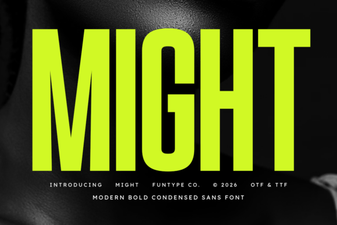 Might Font: Designing Bold and Memorable Typography
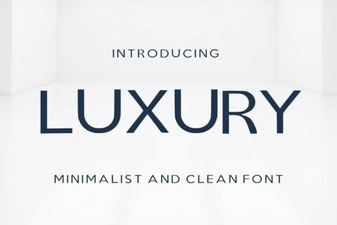 Elevate Your Designs with Luxury Typography
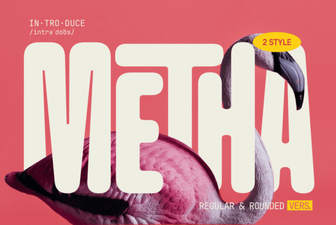 Metha Font: Download & Design Inspiration
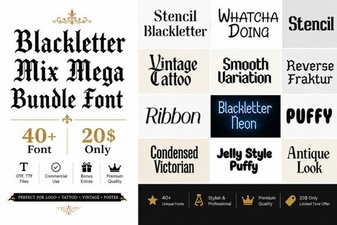 Gothic Blackletter Mix: Creative Font Bundle
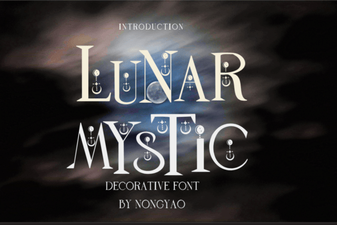 Lunar Mystic Font for Creative Design Projects
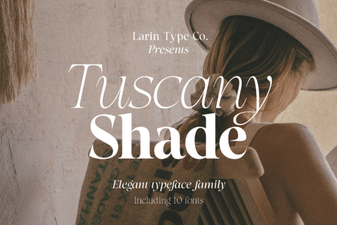 Designing with the Tuscany Shade Font